
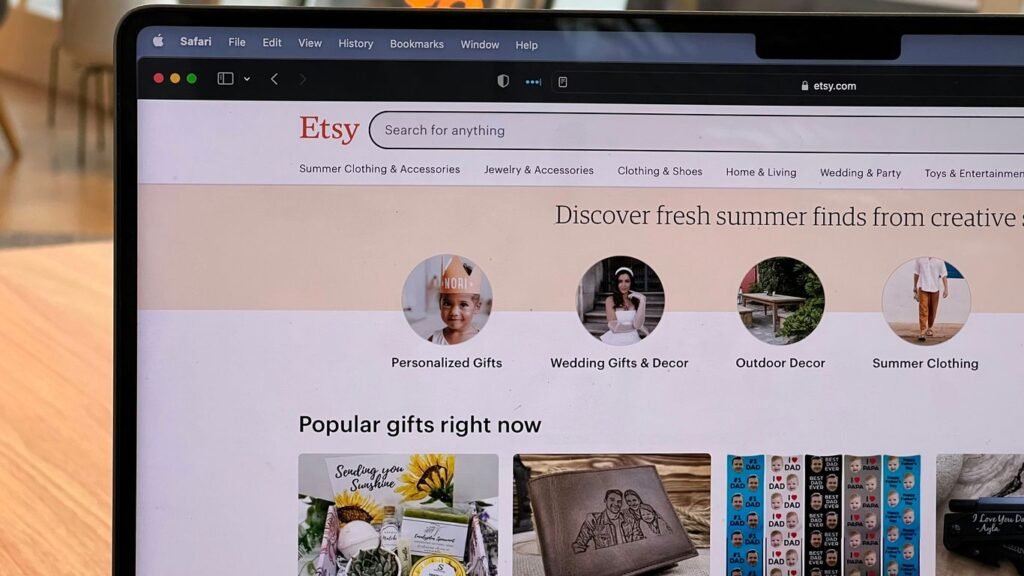
Thinking about selling cool stuff online? Maybe you’ve heard about Etsy and Printful and how they can work together. It sounds pretty neat, right? You get to make your own designs, and someone else handles all the printing and shipping. Sounds like a dream, but how do you actually make it happen? This guide is going to walk you through connecting your Etsy shop with Printful, step by step. We’ll cover everything from setting up your shop to getting your first order out the door. Let’s get your creative ideas out into the world!
Key Takeaways
- Connecting your Etsy shop with Printful means you can sell custom-designed products without holding any inventory yourself.
- Printful handles printing and shipping, so you can focus on designing and marketing your items.
- Setting up your Etsy shop first is important before you link it to your Printful account.
- Once connected, you can add products from Printful’s catalog to your Etsy listings and customize them with your designs.
- Effectively managing orders, shipping details, and customer service is key to success when using the etsy printful integration.
So You Want to Sell Cool Stuff? Let’s Get Your Etsy Shop Ready!
Alright, so you’ve got a brilliant idea for some awesome merch, and you’re thinking Etsy is the place to be. Smart move! But before we get all fancy with Printful, we gotta make sure your Etsy shop is looking sharp. Think of it like getting dressed for a big date – you wouldn’t show up in yesterday’s t-shirt, right? We need to set the stage, make it welcoming, and basically tell the world, "Hey, I’ve got cool stuff here!"
Creating Your Etsy Account: No More Excuses!
Seriously, if you haven’t already, this is step one. It’s easier than figuring out how to fold a fitted sheet. Just head over to Etsy and hit that "Get started" button. They’ll ask you a few basic questions, nothing too scary, and then boom – you’re on your way to becoming an Etsy seller. It’s a pretty straightforward process to launch an Etsy shop, and honestly, it’s free to sign up. Don’t overthink it; just do it!
Setting Your Shop’s Vibe: Preferences That Don’t Suck
Once you’re in, Etsy will want to know a few things about your shop. This is where you pick your shop’s name (don’t stress too much, you can change it later if you get a better idea, or if your cat walks across the keyboard and suggests something brilliant), your language, and your currency. It’s like choosing the paint color for your virtual storefront. Make it something that feels right for the kind of awesome products you’re planning to sell. You want it to have a personality, you know?
Stocking Your Shop: The Pre-Printful Panic
Okay, before Printful swoops in to save the day, you might want to add a few things to your shop. This could be anything you’re already making or selling. Think of it as a warm-up act. It gets your shop looking active and gives you a feel for how Etsy works before you dive into the Printful integration. Plus, it’s a good way to test the waters and see what kind of items people are interested in. You can add your own handmade items or even some digital downloads if that’s your jam. Just get a few listings up so your shop isn’t totally bare when we connect it to the magic that is Printful.
Remember, your shop’s photos and descriptions are the first impression. Make them count! People buy with their eyes, so put a little effort into making your listings look appealing. It doesn’t have to be professional studio quality right away, but good lighting and clear shots go a long way.
The Grand Unveiling: Connecting Printful to Your Etsy Empire
Alright, you’ve got your Etsy shop looking spiffy, and you’re ready to bring in the big guns – Printful. This is where the magic really starts to happen, turning your awesome designs into actual products people can buy. Think of it like this: Etsy is your bustling marketplace, and Printful is your super-efficient, behind-the-scenes workshop that handles all the messy stuff. Connecting them is easier than you might think, and honestly, it’s the key to making this whole print-on-demand thing work without you losing your mind.
Choosing Your Platform: Etsy, Obviously!
Okay, this one’s a no-brainer. You’re already here, setting up shop on Etsy, so when Printful asks where you want to sell your creations, the answer is pretty clear. It’s like asking a baker if they want to sell cakes in their own bakery or a random empty lot – you want to be where the customers are!
The Big Red Button: Connecting to Etsy
So, you’ve signed up for Printful (which, by the way, is free to join – you only pay when a customer buys something). Now, you need to tell Printful about your Etsy shop. Head over to your Printful Dashboard. You’ll see a section for ‘Stores’ or ‘Integrations’. Look for the big, friendly "Connect to Etsy" button. Clicking this will whisk you away to Etsy’s site.
Here’s the lowdown on what happens next:
- Log In: You’ll need to log into your Etsy account. If you’re already logged in, this step is super quick.
- Grant Access: Etsy will ask you to give Printful permission to access certain parts of your shop. This is so Printful can automatically send orders to be printed and shipped. Read what they’re asking for, and if it all looks good, hit "Allow Access".
- Printful Confirmation: After you give the green light, you’ll be sent back to Printful. You might need to log into your Printful account again or create one if you haven’t already. And just like that, your shops are linked!
This connection is what allows Printful to see when a customer buys one of your designs on Etsy. Without it, Printful wouldn’t know to start making and shipping your product, and you’d be stuck doing it all manually. That’s exactly what we’re trying to avoid here.
Email Verification: Don’t Be That Person Who Forgets Their Password
After the initial connection, Printful might send you a verification email. It’s usually just a quick click to confirm your email address. Seriously, don’t skip this. It’s like the final handshake that makes the whole partnership official. Plus, it helps keep your account secure and ensures you get all the important updates from Printful. You can find more details on how to connect your Printful account to Etsy if you get stuck.
Once everything is verified, you’ll be able to see your Etsy store listed in your Printful Dashboard under the ‘Stores’ section. This is your command center for managing everything related to your Etsy sales through Printful. You can check your store’s status, currency, and other important details right there. It’s pretty neat, honestly. This integration is the first step to really streamlining your print-on-demand business.
Printful and Etsy: A Match Made in E-commerce Heaven
So, you’ve got designs that are basically begging to be on t-shirts, mugs, or maybe even a fancy tote bag. And you’ve got an Etsy shop, or you’re about to get one. Now what? Enter Printful. Think of Printful as your super-chill, no-inventory-required partner in crime for selling physical goods. They’re the ones who actually make the stuff and ship it out, so you can focus on making awesome designs and, you know, living your life.
What in the World is Printful Anyway?
Basically, Printful is a print-on-demand service. This means you upload your designs, pick out the products you want to sell (like tees, hoodies, posters, phone cases – the list goes on!), and list them in your Etsy shop. When someone actually buys one of your items, Printful gets an automatic heads-up. They then print your design onto the product, package it up nicely, and ship it straight to your customer. You never have to touch a single item, which is pretty sweet. It’s free to sign up, and you only pay for the product and printing costs after you’ve made a sale. Pretty neat, right?
Why Printful is Your New Etsy BFF
Let’s be real, managing inventory, printing, and shipping is a headache. Printful takes all that off your plate. This means you can spend less time wrestling with boxes and more time creating cool new designs or marketing your shop. Plus, they have a huge range of products, so you’re not limited to just t-shirts. You can offer a whole collection. This partnership lets you run a physical product business without the usual upfront costs and logistical nightmares. It’s a fantastic way to test out product ideas or expand your existing digital offerings.
How This Magical Etsy Printful Combo Actually Works
Connecting the two is surprisingly simple. Once you’ve got your Etsy shop set up and your Printful account created, you just link them together. Printful guides you through the whole process. After that, you can start adding products directly from Printful into your Etsy listings. When an order comes through on Etsy, it automatically gets sent to Printful for fulfillment. You can track everything from your Printful dashboard. It’s designed to be pretty straightforward, so you can get selling without too much fuss. Providing clear and transparent delivery information for print-on-demand items on Etsy can significantly improve conversion rates, reduce customer service inquiries, and boost your Etsy ranking. This transparency builds trust with repeat buyers. The process begins with connecting your Printful account to Etsy.
- Design Upload: You provide the artwork.
- Product Selection: Choose from Printful’s catalog.
- Listing Creation: Add the product to your Etsy shop.
- Order Fulfillment: Printful handles printing and shipping when a sale happens.
The beauty of this setup is that it allows for a low-risk entry into selling physical goods. You can experiment with different designs and products without investing a fortune upfront, making it accessible for creators of all levels.
Mastering Your Domain: Managing Your Etsy Printful Store
Alright, you’ve connected the dots between Printful and Etsy. Now it’s time to actually do stuff. Think of this as the control center for your new e-commerce empire. It’s where your brilliant designs meet the real world, and where you make sure everything runs smoother than a buttered otter.
Adding Products: Your Designs, Their Ink
This is the fun part. You’ve got designs, Printful has the printers. Let’s make some magic happen. You’ll head over to Printful’s product catalog, pick out items that tickle your fancy – think t-shirts, mugs, tote bags, the whole shebang. Then, you upload your artwork. Printful gives you a preview, so you can see how your design looks on the actual product. It’s like a virtual fitting room for your merchandise. You can tweak placement, size, and colors until it’s just right. Once you’re happy, you push it to your Etsy shop. It’s a pretty straightforward process, designed to get your creations listed without a fuss. You can even get a head start on launching an online store without initial investment by using these tools.
Product Templates: Making Your Stuff Look Less Generic
Printful gives you basic product descriptions, which are fine, but let’s be honest, they’re a bit… beige. To really stand out, you gotta jazz them up. Think about your ideal customer. What language do they use? What are their pain points (that your awesome product solves)?
- Give your products catchy names: Instead of "Unisex Heavy Cotton Tee," try "The ‘I Need Coffee’ Comfort Tee."
- Write descriptions that sell: Talk about the feel of the fabric, the vibe of the design, and what makes it special. Tell a story!
- Use keywords: Think about what people would actually search for on Etsy to find your item.
- Highlight unique features: Is it eco-friendly? Super soft? Perfect for a specific hobby?
Don’t just list features; paint a picture of how the product will make someone feel or what it will enable them to do. This is where your brand’s personality really shines through.
Removing a Store: When You Need to Hit the Reset Button (Carefully!)
Sometimes, things just don’t work out. Maybe you’re rebranding, or perhaps you’ve decided to go a different direction with your Etsy shop. Whatever the reason, removing a store from your Printful account is possible. Just head to the ‘Stores’ section in your Printful dashboard, find the store you want to ditch, and look for the ‘Settings’ or ‘Remove Store’ option. Be warned: this is usually a permanent move. Make absolutely sure you want to sever ties before you click that button, because once it’s gone, it’s gone. All the product connections and settings associated with that store will be wiped out. It’s like hitting the delete button on your digital storefront, so proceed with caution. If you’re just looking to manage your existing setup, exploring how to effectively integrate Printful with Etsy can help you optimize your current store.
From Blank Canvas to Bestseller: Designing and Pricing for Etsy Printful Success
Alright, so you’ve got your designs ready to go, or maybe you’re just staring at a blank screen wondering how to make something people actually want to buy. This is where the magic happens, folks. We’re talking about turning your brilliant ideas into actual products that people will click ‘add to cart’ on. It’s not just about slapping a cool graphic on a t-shirt; it’s about making that t-shirt something someone needs in their life. Or at least, really, really wants.
Designing Eye-Catching Masterpieces
Let’s be real, the internet is flooded with stuff. To stand out, your designs need to be more than just ‘okay’. Think about what makes you stop scrolling. Is it a clever phrase? A unique illustration? A color combo that just works? Your design is your shop’s personality, so make it a good one. Don’t just throw a generic image on a product and call it a day. If you’re a hand-letterer, lean into that. If you’re into abstract art, go wild. The goal is to create something that makes people say, "Whoa, I need that!" It’s a good idea to test out a few different styles to see what clicks with your audience. You can use Printful’s integration with Etsy to test new product designs with zero upfront risk. That means you can experiment without buying a ton of inventory first.
Mock-up Magic: Making Your Products Shine
Okay, you’ve got a killer design. Now, how do you show it off? Generic mock-ups are a snooze-fest. They make your product look like every other product out there. You need mock-ups that tell a story, that show your item in a cool setting, or that just look plain awesome. Think about the vibe of your brand. Is it cozy and chill? Bold and edgy? Your mock-ups should scream that vibe. Printful gives you some options, but don’t be afraid to get creative. Maybe you can use a lifestyle shot or a unique background. The better your product looks, the more people will want it.
Pricing for Profit: Don’t Undersell Yourself, Silly!
This is where a lot of new sellers trip up. You’re excited to make sales, so you price your items super low. Bad idea. Remember, Printful charges you for the product and the printing. You also have Etsy fees. You need to factor all of that in, plus your time and effort, and still make a profit. It sounds complicated, but it’s not impossible. Here’s a basic way to think about it:
- Base Cost: This is what Printful charges you for the product and printing.
- Etsy Fees: Listing fees, transaction fees, payment processing fees.
- Your Time/Design Value: What is your design and your effort worth?
- Profit Margin: What you want to make on top of everything else.
So, a simple formula could be: (Printful Cost + Etsy Fees + Your Time Value) x Markup = Retail Price.
Don’t be afraid to charge what your product is worth. People will pay for quality and unique designs. Research what similar items are selling for on Etsy, but don’t just copy their prices. Figure out your own numbers and stick to them. You’re running a business, not a charity!
Pricing is more than just covering costs; it’s about communicating the value of your creation. If you price too low, people might assume the quality isn’t great. If you price too high without justification, they’ll just scroll past. Finding that sweet spot takes a bit of research and confidence in your work.
The Nitty-Gritty: Orders, Shipping, and Keeping Customers Happy
Alright, so you’ve got designs, you’ve connected Printful to Etsy, and maybe even made a sale or two. High five! But now what? This is where the real magic (and maybe a little bit of chaos) happens: managing orders, dealing with shipping, and making sure your customers don’t turn into grumpy trolls.
Order Management: When the Orders Start Rolling In
So, someone actually bought something! Awesome. Here’s the lowdown on how orders flow:
- Printful Takes the Wheel: When a customer buys from your Etsy shop, the order automatically gets sent to Printful. You don’t have to do much, which is pretty sweet. Printful then handles the printing and packaging.
- Payment Stuff: Etsy collects the payment from your customer. Then, Printful charges you for the product and the printing. You’ll see this as a deduction from the money Etsy sends you. It’s like a magic trick where money disappears and reappears as a finished product.
- Keep an Eye Out: While it’s mostly automated, it’s still a good idea to peek at your Printful dashboard now and then. Just to make sure everything is chugging along smoothly and no orders are stuck in limbo.
Remember, the whole point of using Printful is to free up your time. Don’t get bogged down in the details of production. Trust the process and focus on what you do best: creating awesome designs and marketing your shop.
Shipping Shenanigans: Printful Handles the Heavy Lifting
This is where Printful really shines. You don’t have to worry about stocking inventory, wrestling with shipping labels, or figuring out postage rates. Printful does all that.
- Printful’s Shipping Times: Printful has its own production and shipping times, which vary depending on the product and where it’s going. You’ll see these estimates when you add products to your store. Be upfront with your customers about these times.
- Tracking is Your Friend: Once Printful ships the order, they’ll provide a tracking number. This number gets automatically sent to your customer through Etsy. It’s like sending a little digital carrier pigeon with good news.
- Shipping Costs: Printful charges for shipping, and these costs are passed on to your customer. You can set up your Etsy shipping profiles to match Printful’s rates, or offer free shipping and build the cost into your product price. Just don’t lose money on shipping – that’s a rookie mistake.
Customer Service: Because Happy Customers Come Back (and Leave Good Reviews!)
Even with a print-on-demand service, you’re still the face of your brand. Good customer service is key to repeat business and glowing reviews. If you’re looking for ways to make your shop stand out, check out these Etsy SEO techniques.
- Be Responsive: Answer customer questions promptly. Whether it’s about a product, an order status, or a design detail, a quick and helpful response goes a long way.
- Handle Issues Gracefully: Sometimes things go wrong. A package might get lost, or a print might have a slight flaw. Work with Printful’s support to resolve these issues. Communicate clearly and kindly with your customer throughout the process. Remember, how you handle problems can turn a potentially negative experience into a positive one.
- Ask for Reviews (Nicely!): Once a customer has received their order and is happy, consider sending a polite follow-up message asking if they’d be willing to leave a review. Positive reviews are like gold for your Etsy shop. You can learn more about succeeding with print on demand to help boost your overall shop performance.
So, You’ve Conquered the Printful-Etsy Beast!
Alright, you did it! You wrestled with the tech, connected Printful to your Etsy shop, and now you’re ready to start slinging those custom creations. Think of it like this: you’ve basically hired a super-efficient, never-sleeps employee who handles all the messy printing and shipping stuff. Now you can get back to the fun part – making awesome designs and maybe, just maybe, finally figuring out what to do with that pile of slightly-used bike parts in your garage. Go forth and sell!
Frequently Asked Questions
What exactly is Printful and how does it work with Etsy?
Printful is like a magic workshop for your online store! It’s a service that prints and ships your designs on products like t-shirts, mugs, and posters. When you connect Printful to your Etsy shop, any order that comes in on Etsy gets sent straight to Printful. They then print your design on the item and mail it directly to your customer. You don’t have to touch any of the products or worry about shipping!
Do I need to pay anything to start using Printful with Etsy?
Nope, signing up for Printful is totally free! You only pay for the products and printing *after* you’ve made a sale on Etsy. Think of it this way: you create your designs, list them on Etsy, and when someone buys something, that’s when the cost kicks in. It’s a great way to start selling without having to buy a bunch of stuff upfront.
How do I connect my Etsy shop to Printful?
Connecting is super simple. First, make sure you have an Etsy shop set up. Then, go to Printful’s website and find the section for connecting stores. You’ll see a button to connect to Etsy. Click it, log in to your Etsy account when prompted, and give Printful permission to access your shop. That’s pretty much it – they’ll be linked!
Can I add my own designs to the products on Printful?
Absolutely! That’s the best part. You can upload your own artwork, photos, or text designs. Printful lets you choose where on the product your design goes, so you can make really unique items that show off your creativity. You can even see what it will look like before you list it for sale.
Who handles shipping and customer service when I sell through Printful?
Printful takes care of all the printing, packaging, and shipping directly to your customers. This means you don’t have to worry about packing boxes or going to the post office. For most issues related to the product itself (like printing errors or shipping delays), Printful usually handles customer service. However, you’ll still want to be available for general questions about your shop or designs.
What happens if I want to stop selling a product or disconnect my store?
If you decide you don’t want to sell a specific item anymore, you can simply remove it from your Etsy shop. If you want to completely disconnect your Printful account from your Etsy shop, there’s usually an option in your Printful settings to ‘remove store’. Just be aware that if you remove a store from Printful, it might delete associated data, so it’s good to double-check before you do it.